




Small Retailer












Engineered Installation
Pro2 deployment follows a structured installation workflow designed for system integrators and installers. Mounting, calibration, and validation are performed on-site using a mobile interface, ensuring the device is operational before installation sign-off.
Flexible Installation Range
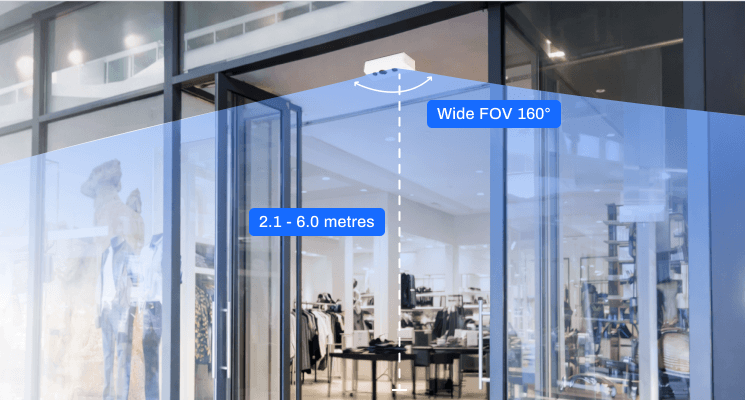
Retail entrances rarely offer ideal mounting conditions. Ceiling heights, door widths, and architectural layouts vary across locations. Pro2’s wide field-of-view and flexible mounting range allow installers to position the sensor within a practical ceiling envelope while still achieving full entrance coverage.
Standard Deployment Scenarios
Pro2 supports common retail entrance layouts including single-door entrances, wide entrances, and multi-door storefronts. Devices connect to standard PoE network infrastructure and can be deployed across multiple floors or stores using consistent installation patterns suitable for large retail rollouts.
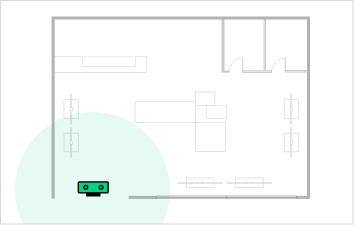
Single door
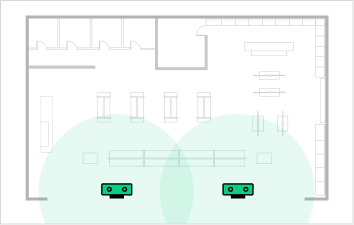
Wide entrance
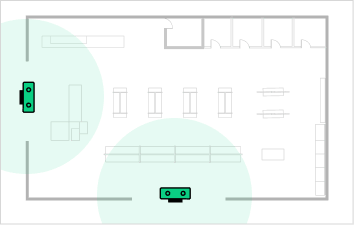
Multi-door
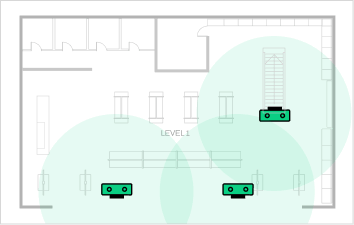
Multi-floor
Mobile Installer Interface
Installers configure the device using the FootfallCam installer interface accessible through a mobile phone or tablet. The interface provides live camera preview, boundary-line configuration, and device diagnostics, allowing installers to perform calibration directly beneath the sensor without requiring additional configuration tools.
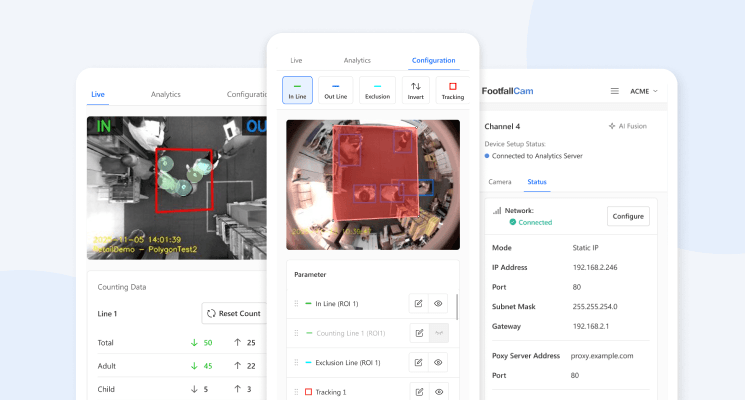
On-Site Validation
After calibration, installers perform a short walk-through validation to confirm that entry and exit movements are detected correctly. Real-time diagnostics verify device health, connectivity, and operational status so the system can be confirmed working before installation sign-off.
Installation At Scale
Large retail rollouts require consistent installation results across locations and installation teams. The Pro2 deployment workflow standardises mounting, calibration, and validation so installations remain predictable across distributed deployments, enabling retailers to scale installations across regions while maintaining consistent system performance.
Installation Architecture
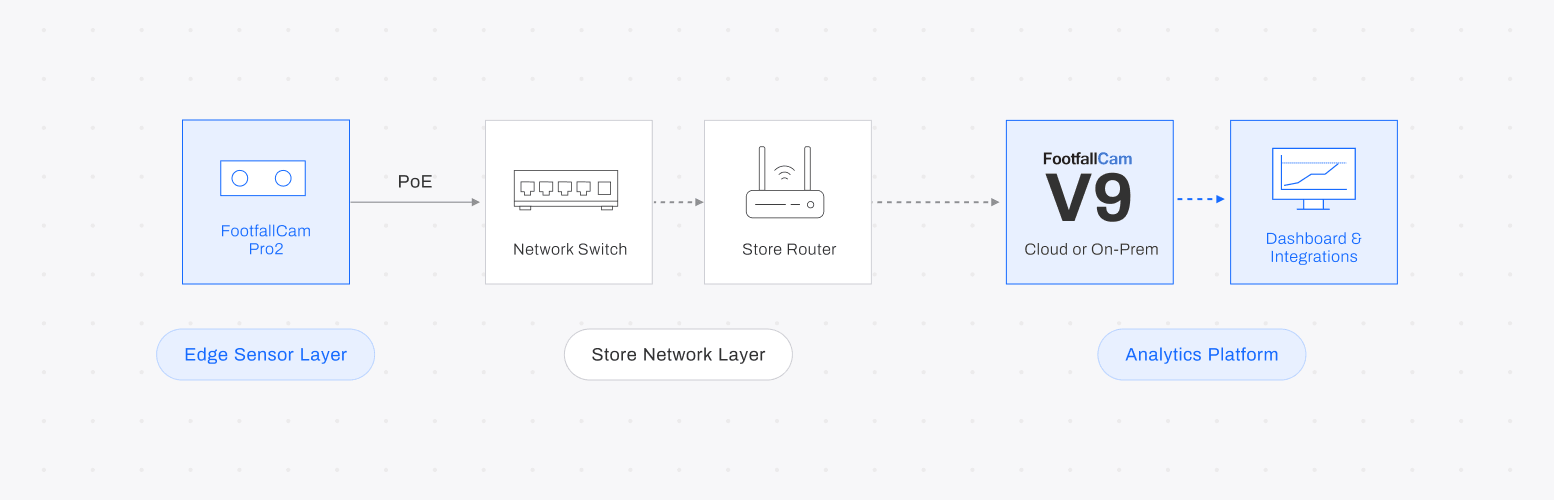
Pro2 devices operate as edge sensors connected through standard PoE infrastructure. Each device securely transmits counting data to the FootfallCam analytics platform or on-premise environment where dashboards, reports, and integrations can be accessed.
Typical Installation Timeline
STEP 1
Mount Device
Install sensor above entrance using mounting template.
STEP 2
Connect PoE
Connect device to network switch using Power-over-Ethernet.
STEP 3
Mobile Calibration
Define counting boundaries using installer mobile interface.
STEP 4
Validation Walkthrough
Verify entry and exit counting before installation sign-off.
In most retail environments, the full installation and validation process can be completed during a standard on-site visit, typically within a half-day deployment window.
Installer Checklist

Mount Device Securely

Confirm PoE Network Connection

Verify Camera Field-of-View

Configure Counting Boundary

Perform Walk-through Validation
