















1.You can Navigate to this page from Settings > Rules
or use the link: https://v9.footfallcam.com/v9/rules/index
2.To Add a new visitor monitor rule you could Add New rule and select 1042 - Visitor in Monitor Rule in the List

3. To Configure the Visitor Monitor Alert Rule You need to fill in all Details and click save.
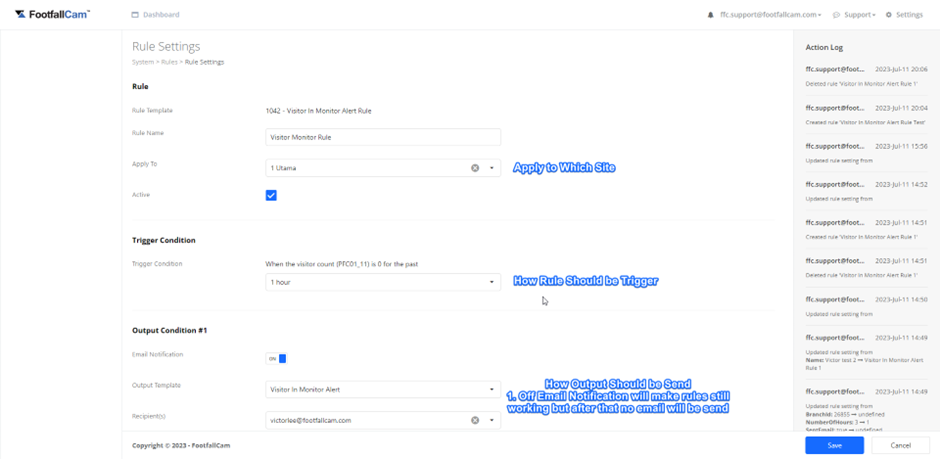
- After Create or Edit the rule it would prompt the response, either successfully or created failed.
- If the rule created failed you can open Debug Tools (F12) and save again to check why the rule cannot be saved
- Check the Network and look for failed requests and check its response and ask for PIC to fix the issue.