
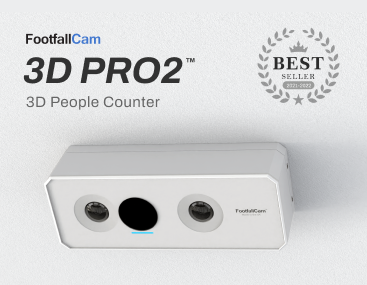
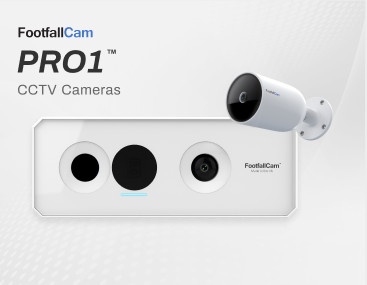







Customers can agree deployment timing for planned updates with FootfallCam under their maintenance agreement. FootfallCam identifies eligible devices, tests the release and deploys it to a representative pilot before extending it to other sites. The following controls apply to supported devices and the V9 services and interfaces they use.
Calendar and permitted windows
FootfallCam and the customer agree the release planning period and maintenance frequency. For example, a rolling quarterly calendar can include a monthly maintenance window for each region. Each entry names the business unit, affected sites, local date, start and end time, time zone, expected interruption and responsible contacts. The customer and FootfallCam agree the window around local operating hours, peak periods and site blackout dates.
Release classes and notice
| Release class | Customer notice and approval |
| Routine correction | The release note identifies the defect, affected models and builds, operational impact and tests. For a planned Update or Version, FootfallCam gives advance notice in line with the customer's maintenance agreement. |
| Feature or version change | The same planned release notice applies. FootfallCam describes changes to metrics, models or interfaces, prerequisites and migration steps. The customer accepts any change to business definitions or interface behaviour and agrees the cutover. |
| Emergency fix | FootfallCam uses the expressly agreed expedited change route. The service desk alerts the customer's designated technical and security contacts to the exposure, interim protection, expected interruption, recovery options and next update. The change authority records the decision and any required customer approval. |
Planned service interruption
For any planned interruption, FootfallCam gives written notice within the period specified in the customer's maintenance agreement, including the affected service, local start time and expected duration. This notice also applies when the release has already been announced. If the window conflicts with a site blackout period, the service owner agrees a new slot with the customer or invokes the agreed emergency procedure where applicable.
Compatibility and regression testing
Before proposing a deployment group, FootfallCam records each eligible device family and hardware revision, installed and target firmware, required V9 and analytics model versions, and affected API, export or connector. Devices outside the validated combinations remain on their recorded build pending a supported upgrade path.
Tests before wider deployment
| Check | Test and acceptance evidence |
| Device and configuration | Capture the last accepted configuration, installed version and last good reporting interval. On the target build, restart the device and verify connectivity, heartbeat, camera bindings, counting lines, zones and operating hours as applicable. |
| Counting and reporting | Replay known inputs against the accepted baseline. Check entry and exit direction, totals, timestamps and interval assignment. For affected licensed metrics such as group count or dwell, compare the result with the agreed definition and tolerances. |
| V9 and downstream feeds | Query the same site, metric and interval before and after upgrade. Compare field names, types, nulls, quality flags and permissions. Test retries and duplicate handling, then confirm that the receiving system accepts the records. |
| Representative pilot | Select devices covering affected hardware revisions, site conditions and downstream feeds. During the recorded observation period, verify fresh counts, accuracy, reporting latency and receipt against the agreed service baseline. |
Decision to proceed
Release Engineering records the expected and actual results, build, exceptions and pilot devices. A failed mandatory test stops further deployment. The service owner records the decision and the next authorised group after the pilot passes. The customer approves any change to an accepted metric definition and its effective date.
Interface continuity
For a breaking change, FootfallCam supplies a versioned schema, field mapping and migration test. We compare old and new outputs in parallel where supported and retain the previous endpoint or a documented alternative through the agreed transition.
Deployment and recovery
For an authorised rollout, eligible devices retrieve the firmware automatically over authenticated, secured, device-initiated connections. This requires no inbound Internet management port. Where the device supports scheduling, FootfallCam applies the agreed window. Otherwise, FootfallCam coordinates deployment through the service desk within that window.
Deferral or opt-out. The customer can ask the service desk to opt devices out of automatic updates or decline a generally available Update or Version. FootfallCam records the retained build, relevant defects or exposure, mitigations, support implications and the next review.
Rollback and recovery procedure
1 Stop and notify. If a pilot fails, counts diverge from the accepted baseline or a downstream feed rejects data, FootfallCam holds the remaining devices. The service desk opens a ticket, identifies the affected sites, builds and reporting intervals, and advises the customer of the impact and next update.
2 Restore the affected function. Engineering reviews diagnostics and uses the recovery method recorded before the pilot. It may restore a validated configuration or, where the model and upgrade path support it, the previous validated firmware image. Where a downgrade is unavailable, Engineering isolates the change, validates a corrective build against the failed test and deploys it to the affected devices.
3 Verify service and data. Confirm the active build, configuration, V9 heartbeat and fresh counts in both directions. Trace a new interval through to the receiving system. Reconcile retained events by their original keys and timestamps, suppress duplicates and identify any unrecoverable intervals in the customer report.
4 Close or escalate. If remote recovery fails, FootfallCam retains ticket ownership and escalates for engineering action or hardware replacement under the agreed support process. The service owner reports actual interruption times, devices restored or deferred, outstanding actions and retest results. Wider rollout resumes only after the failed checks pass and the next group is authorised.
Configuration and monitoring
Authorised users can manage supported settings, including device IP addresses and camera bindings, locally or through V9. V9 provides device health and diagnostic information and configurable offline email alerts. FootfallCam owns firmware release management, technical investigation and recovery.