






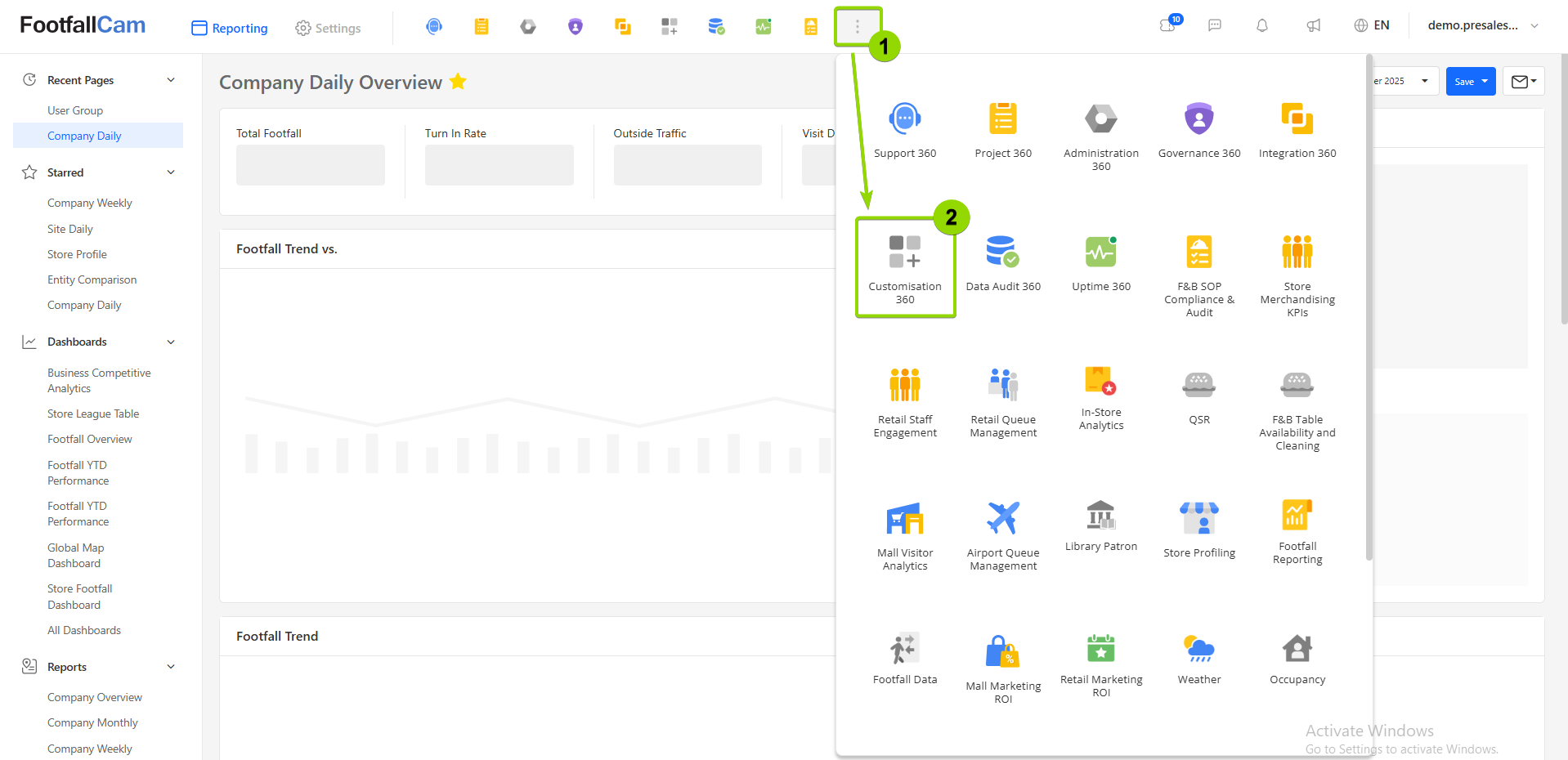
1. What is Customisation 360?
Customisation 360 allows you to tailor various aspects of the V9 platform to your preference. Through this app, you can adjust the formatting and structure of generated reports, as well as modify select elements of the user interface.
2. Features
2.1 Report Configuration
You can standardise the formatting of company- and site-level reports, as well as certain other pages, by specifying operating hours, currency formats, reported metrics, and more.
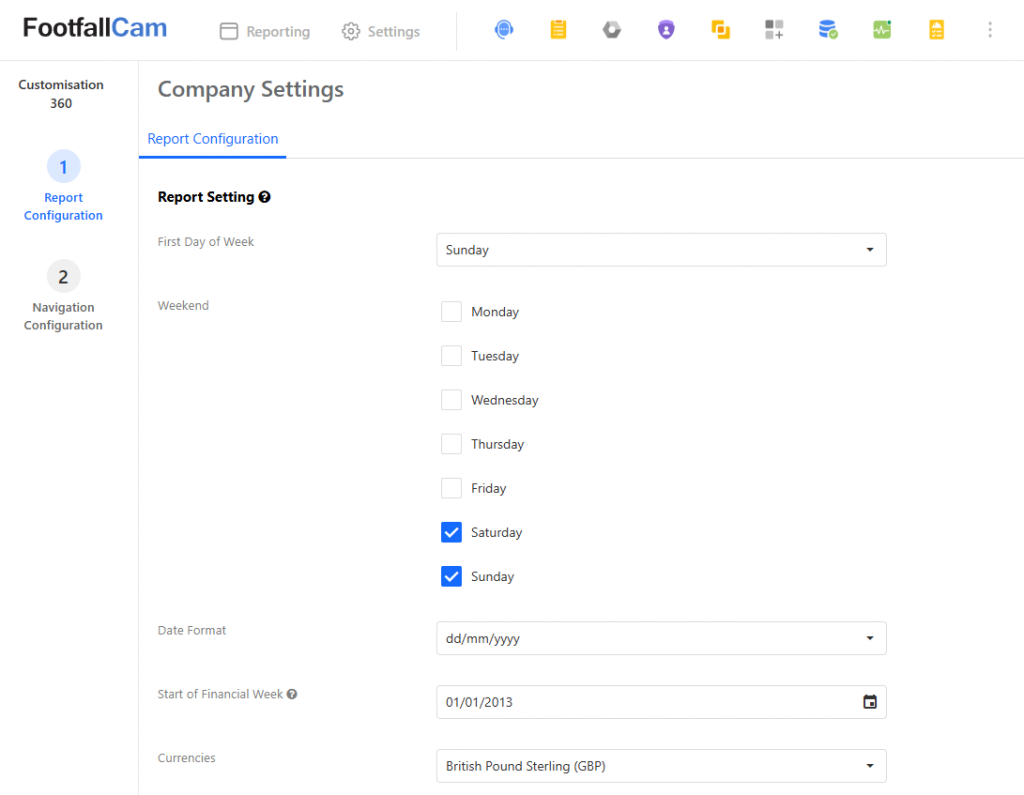
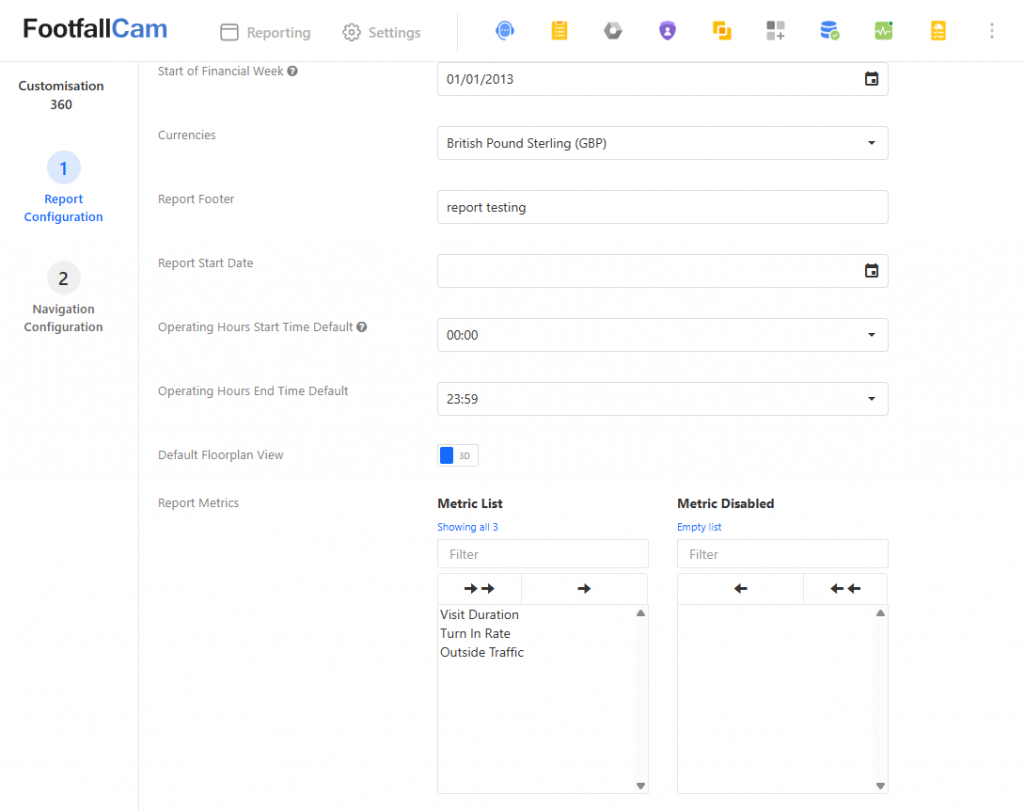
The following options apply to all reports:
- First Day of Week
- Weekend
- Date Format
- Start of Financial Week
- Currencies (all sales-related reports only)
- Report Footer
The following option applies to pages with trend charts with an option to view "All Time" data:
- Report Start Date
The following options apply to company-level daily reports and pages:
- Operating Hours Start Time Default
- Operating Hours End Time Default
The following options apply to pages that display site floorplans:
- Default Floorplan View
The following option applies only to V8 Classic Report:
- Report Metrics
2.2 Navigation Configuration
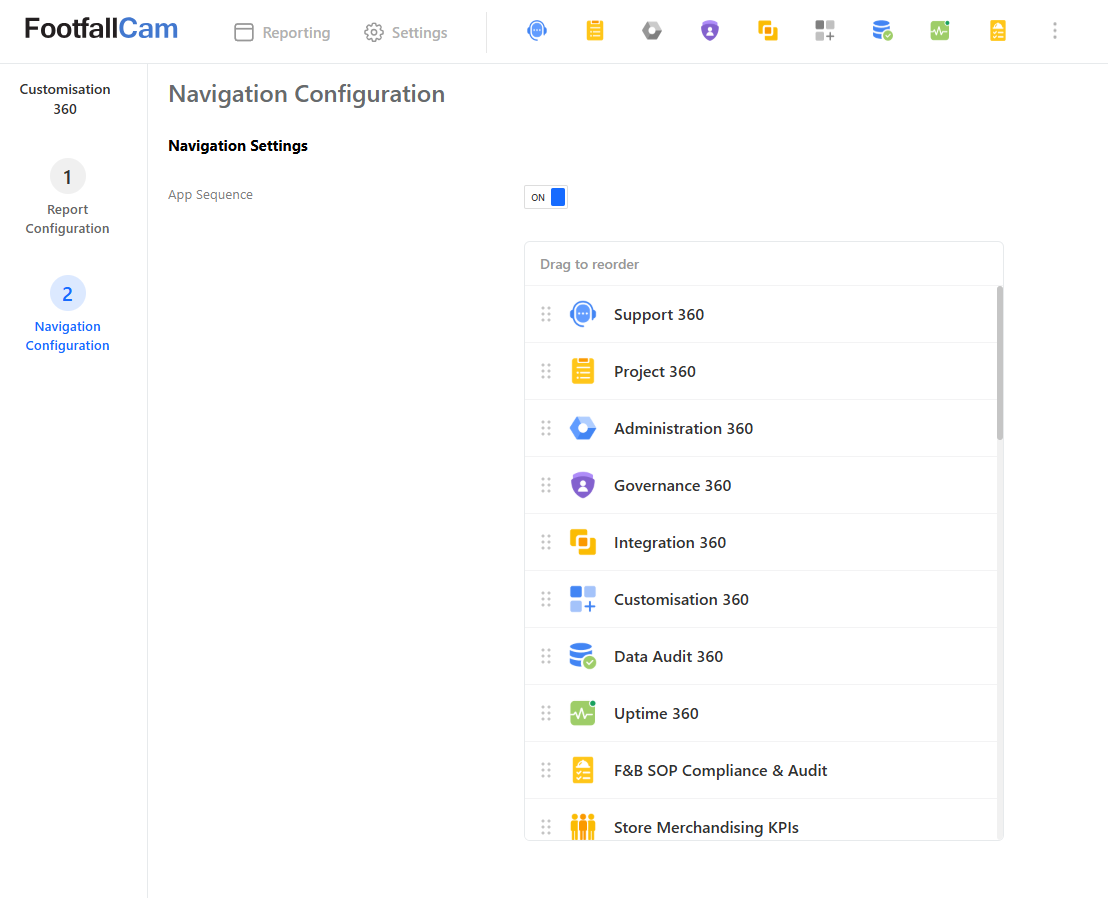
You can change the order in which app icons are displayed in the top navigation bar.