


Small Retailer







How can we help you?
General Questions
How many people counters would I need for my retail store?
The number of people counting sensors required is dependent on the height of the ceiling and the width of the entrance. One device is sufficient in most cases. This calculator will help you to determine the number of cameras.
Will installation of the FootfallCam Analytic Manager™ be required during the trial or demo period?
No, for the trial, we are using FootfallCam cloud server. After the trial, if you would like to have the software in your own server, we can help you to do the installation during the rollout. At that time, you just need to give us any of your server access, then we will help you to install it. All the data will be centralised in the server, therefore you can access all the data for all your stores via the web link.
For a demo unit or a trial project with FootfallCam, how will the data be retrieved and reviewed?
During the trial, we will prepare an account for the user within our FootfallCam Analytic Manager and provide the web link for the user to access their data.
Do the same software support multiple counters?
Our software will support multiple counters and the counts from different counters can be combined in our web-based reporting software. You can combine the counts of the 2 counters and view the total traffic IN and OUT or you can view the total IN and OUT individually.
Is it possible to access the raw data from each individual camera?
Yes, you can setup a FTP location for the raw data to send to the dedicated location every day. The user also can choose to look at the branch by different time period and look at each individual camera separately. Using our API, we can query the data directly from the counter.
How do I stay up to date with the latest Footfallcam development news?
You may subscribe to our newsletter through the bottom of the webpage.
What languages is the control panel available in?
The Footfallcam control panel is available in 9 different languages and we are constantly expanding. The languages availabled are English, Chinese, German, Dutch, French, Spanish, Italian, and Persian.
Is the counting program and the reporting feature done on the device?
The counting program is run on the device. The device is merely a data collector, all calculations and aggregation of the data collected is done via our software.
Does FootfallCam comply with the latest General Data Protection Regulation (GDPR)?
We are compliant with the current privacy regulations and work towards further compliance and upholding of the privacy of individuals. Under the GDPR regulations introduced in 2016 and implemented on May of 2018, there are several exceptions that applies to responsible manner of handling the data, such as anonymisation.
- Recital 26 of the GDRP dictates that the regulation applies to information concerning an identifiable person. Information that is rendered anonymous and untraceable through irreversible pseudonymisation and unidentifiable to the person are not covered by this regulation. Furthermore, anonymous information processing such as for statistical purpose are too not liable for regulation by GDPR, which is the usage of FootfallCam.
- In Chapter 2, Article 6, Clause 4-e; Chapter 4, Article 25; and Chapter 4, Article 32, Clause 1-a highlights the compliance with the regulation through irreversible pseudonymisation and encryption of the data, such as through data minimisation.
Has the system being tested in a crowded event or store?
Footfallcam People Counter have been successfully installed in various crowded spaces such as retail stores, shopping malls and art centres with proven customers' satisfaction and records of good counting system.
Click here to watch the demo video from FootfallCam YouTube Channel.
What can I find out from the heatmap solution you are providing?
The heatmap will be able to show different colour tones of the area. Area which has highest foot traffic may have warmer colour tones while areas which has lower foot traffic tend to have cooler colour tones.
How about future charging from you and also what would happen if your company went into liquidation?
We understand your concern about if the company went into liquidation, our source code is store in Escrow service, our software will continue to run under any circumstances and the source code will also available from Escrow service.
What happens if your company stops trading - will the system still work independently?
Yes, the server of the system will still continue to work. We could port the software to your local server.
I’m looking for people counting via facial recognition for a retail store.
Footfallcam would not be capturing the people’s face. Therefore, it would not count via facial recognition. The counting would be based on the people’s body shape. In compliance with the GDPR policy released in May of 2018, we cannot provide demographic details such as age, or gender.
Can your counter installed at pop-up store?
FootfallCam is not suitable for the installation at pop-up stores or within kiosks in shopping malls. This is due to the kiosk having no clear definite entrance. There will be no indication on when a customer enters the "store" or leaves the "store" as there is no one way entrance, and visitors are allow to enter and leave from all different directions.
Could your counting system count people in the car?
Currently, it is not feasible yet.
Is it possible for FootfallCam to collect demographic data such as age and gender of the visitors?
Yes, FootfallCam is able to capture demographic data by using our AI video analysis system. This system reuses your existing CCTV cameras in the store (please note that the CCTV cameras have to be installed front-facing to customers’ face to determine their gender, age) and connects to FootfallCam Centroid at your back office.
Does FootfallCam provide a sign/notice in the store which tells the customers what the camera does?
This is not needed as we do not collect any personal data or any personally identifying data of any specific visitor, we merely collect the counting data in counts along with hashed MAC addresses.
How does FootfallCam protect consumer privacy while collecting insightful counting data to be stored in the server?
For 3D counting, we only need to determine the amount of traffic that come into the store. Video recordings are not taken for this purpose. The 3D image processing is done within the device, where it then produces a count. The counts are only in text format that is being recorded and transmitted to the server to produce footfall reports.
For the Wi-Fi counting, all data are processed instantaneously from within the FootfallCam people counter prior to being sent to the FootfallCam server. On the device, all personal data collected are hashed on the counter level and the only result that is sent to the FootfallCam server are hashed MAC addresses (not the real MAC addresses).
Has FootfallCam been security tested or conducted penetration testing for vulnerabilities by a third party?
Yes, it has been security tested.
Regarding washroom management, have you ever had any concerns from the public, the facilities management team or the security department of the building to install counter at the washroom door?
Our counter is not located inside the washroom and it will only allocated at the top of the washroom’s entrance to track the people counting so the privacy of others is protected. So far, we have not received any security issues raised by our clients who are using the washroom management solution.
For restroom management solution, what information does the cleaner receive through Telegram app when a facility usage reaches a predefined threshold?
You may customise the information that you want to send to the cleaner for their action. An example of the message sent to the cleaner is “Toilet touchup required at Floor3ZoneAF 50 people visited in last 5 hours”.
Is there a mobile application for users to login and access all data?
FootfallCam Analytics Manager is a web-based control panel. So, any device with access to a web browser will be able to login and access the data.
Can you share with me the background of your company?
Established in 2002, FootfallCam is a privately held company and leading global provider of people counting solutions. We have been offering our footfall solutions to many organisations all over the world in sectors varying from retail, fast food restaurants, and museums to smart buildings and airports.
Click here for more information regarding on History of FootfallCam.
Can view data through smart phone?
Yes, the data from the Analytics Manager can be viewed with any Wi-Fi enabled devices such as smart phone.
Can the ESL tag be customisable?
Yes, the ESL tag is customisable. We do have a standard set of format which you can refer to over in this link.
What is the wireless coverage range from the FootfallCam 3D Mini™ to the FootfallCam 3D MAX™?
The FootfallCam 3D Mini™ can connect up to 50m with a clear line-of-sight; and it can cover 20-30m in a noisy office environment.
Does the 3D Mini require a wall bracket to install it from the wall?
The FootfallCam 3D Mini™ can be mounted either on a wall or a ceiling, so it does not require any wall brackets.
Can the 3D Mini display the total occupancy of the room onto a display?
It will work in the same way as the 3D Max, whereby it will upload the data to the software in real-time, and then update the live occupancy display.
For 5 min of footfall count, how much data is generated by the FootfallCam 3D Mini™?
The average data transfer rate for each FootfallCam 3D Mini™ (to the FootfallCam 3D MAX™) is 5 kilobytes per hour, given that there is a pre-defined a sample size of 20 requests per hour.
How does Time-of-Flight work?
The time-of-flight principle is based on measuring the time it takes for a wave to travel from a source (a time-of-flight sensor) to an object and back. Based on that data – as well as some knowledge of maths and physics (such as wave propagation) – you can establish the distance of that object from the source.
What are the advantages and disadvantages of using Time-of-Flight counting technology?
FootfallCam 3D Mini is using Time-of-Flight counting technology and it’s suitable for indoor environments which are not subjected to strong sunlight. It comes with the following pros and cons:
- Pros:
- Can work in complete darkness without any further assistance from IR LED.
- Requires less CPU processing power since it does not have AI Video Analytics, thus this can reduce the cost of the device.
- Cons:
- Strong Sunlight may flood the 850-950nm light measurement spectrum of the ToF sensor;

- Black hair or black clothing may not produce a good depth map for optimal detection; e.g.:

Where will a user go to access their data captured by the FootfallCam?
It is web-based, you can access anytime at any PC/ mobile device with the given username and password. Of course the default password can be change for the security purpose.
Can I install the basis package in my building first, then choose to add more features on a later date?
Yes, our products are scalable and future-proofed. You can install our counters at the entrance for SafeOccupancy™ for the first stage, then choose to scale up your people counting solutions later.
Can I choose which specific features I’d like to have, instead of opting for either of the packages mentioned?
Yes, our in-house system analyst is more than happy to work with you to decide which type of counters best suit your requirement, and where they should be installed. Feel free to contact [email protected] for more info.
Can the software be installed on my on-premise server?
Yes, you may choose to view your reports and generated data on your own corporate server. For more info, please contact us at [email protected].
How can I ensure that my visitor/employees’ privacy is protected?
Our counters are installed facing downwards -- which means they can’t pick up facial features. Also, videos are taken in low resolution for verification purposes, which will be deleted after it is completed. FootfallCam also uses 3D depth map technology instead of video images for counting purposes.
How many people in a company will be able to access the reports at any given time?
Head office or headquarters have the option to create as many users account as possible to delegate access to reporting features to other personnels within the business.
Can I retrieve data statistics on visitor’s dwelling time in each zone?
Yes, based on our zone counter, the reports generated will be able to determine the average dwell time of each visitor in that area. A sample report may be found here.
How many devices will we need per shop for counting?
The number of devices required is dependent on the height of the ceiling and the width of the entrance. You may key in the data over
What is the accuracy level of Footfall data generated?
FootfallCam ensures that the accuracy level of our counter are at least 90% with video proof provided that the user applied for the verification service by FootfallCam.
Can I work with my appointed installers/contractors instead of FootfallCam technicians?
Yes, our counters can be installed quickly and easily by anyone, even if they don’t have any technical knowledge. We will also handle all the verification works required, so that you can be assured that your counters are optimally tuned for the best accuracy.
What is WiFi counting?
Each mobile device sends a WiFi signal every 2-8 seconds, even if it is not in use. FootfallCam collects all these signals within 100 metres. It detects all smartphones that are not connected to the store's WiFi network. Each smartphone has a unique identification number. FootfallCam WiFi Counting will then be able to provide the following statistics:
- How many visitors have already visited?
- How long do they stayed in the store?
- How many passed by without entering your store?
How does mmWave device GDPR-compliant?
The Millimetre Wave radar technology is incapable of capturing any personally identifiable information (PII). FootfallCam 3D ProWave™ is anonymous by design, it helps FootfallCam people counting systems to identify the usage of open areas without any camera and behaviour tracking.
Can FootfallCam 3D ProWave™ work in complete darkness?
Yes. The rada wave technology is not affected by any light illumination or reflection, it would work in inconsistent lighting conditions as well as complete darkness.
What are the usage environments that can integrate FootfallCam Space Sense™ occupancy counting?
- Hotdesk occupancy of a office tower
- Meeting room booking of office workspace
- Desk and seat booking for library
- Washroom cubicle in a shopping mall
- Auditorium usage of a university
- Row-based seat occupancy of Airport or buses
- Desk usage of fast food restaurant
What type of battery is required for maintaining FootfallCam Space Sense™?
FootfallCam will provide two CR2450 batteries for every single purchase of Space Sense™. The CR2450 is a Lithium 3V coin battery having the capacity of 550mAh. You are only required to change and supply two CR2450 batteries for each Space Sense™ every 4 years. If you would prefer a wiring setup instead of batteries, you can have the Space Sense with 12v wired supply.
How does FootfallCam Space Sense™ GDPR-compliant?
The PIR technology is incapable of capturing any personally identifiable information (PII). FootfallCam Space Sense™ is anonymous by design, it helps FootfallCam people counting systems to identify the usage of seats, desk, meeting room and washroom cubicle without any camera and behaviour tracking.
Can FootfallCam Space Sense™ work in complete darkness?
Yes. The PIR technology is not affected by any light illumination or reflection, it would work in inconsistent lighting conditions as well as complete darkness. PIR technology is commonly being used in security alarm systems to detach motion during night time.
Can the FootfallCam Space Sense™ easily be relocated after installed?
Yes, the sensors can be easily relocated with ‘peel -and-stick’. You will need to amend the position on your floor plan. The binding via BLE transmission needs to be redo/configure if relocated to another master device that was far from the original coverage distance.
What device does FootfallCam Centroid Outdoor™ support?
FootfallCam Centroid supports both FootfallCam People Counter and generic IP CCTV. Each Centroid Outdoor can connect up to 4 devices at the same time for 1 functional feature.
What are the technical specification requirements for CCTV?
To connect with FootfallCam Centroid Outdoor™, CCTV must satisfy the following baseline requirements:
RTSP enabled
No fish-eye lens, no panoramic view, no wide angle lens with distortions
At least 720p, 10 FPS
Landscape view orientation
Other functional features may impose further environmental and performance constraints.
Does Centroid Outdoor require POE?
No, Centroid does not draw power from the RJ45 cable, it connects Universal AC 110-240V for power, and connects 4G for internet connectivity.
Can Centroid Outdoor work with DVR or NVR?
Centroid Outdoor works with connected cameras. If you already have an existing DVR and NVR that connect all cameras, Centroid would work. As long as the DVR is configured to channel each CCTV footage via individual RTSP streams. Centroid may work with NVR if NVR can also be configured in a similar fashion. Read more about FootfallCam Centroid™
How long does Centroid Outdoor store its data?
Centroid will send all data immediately to FootfallCam server. A local copy will also be saved on device for 14 days.
How to connect a Desk Tag™ with Analytics Manager V9™?
You just need to power up the Desk Tag™ with one FootfallCam Master Device (such as MeshHub and 3D Max2), the Master Device will act as the data transmitter in between Analytics Manager V9™ and the Desk Tag™.
What is the set up cost required to have 500 Desk Tag™ in my office?
You are required to install two FootfallCam Master Devices to connect 500 tags. The master device needs PoE wiring connection, while the 1000 batteries of Desk Tag™ will be provided by FootfallCam. Once the connection is done, you just need to configure the setting in FootfallCam Analytics Manager V9™, our customer support team will be more than happy to go through this process based on your requirement. After that, your SpaceBooker™ is now live, you can monitor live data and generate reports whenever needed.
What is the maintenance required to have 500 Desk Tag™ in my office?
Maintaining SpaceBooker™ with 500 Desk Tag™ is easy, all you need to do are: (1) let the office cleaner to clean the dust on the Desk Tag™ when needed; (2) maintain the network connection for the two Master Devices that connecting with all tags; (3) change two coin cell battery (3V CR2450) for each Desk Tag™ if it gone low battery after 4 years.
How to book a Desk if I have integrated the FootfallCam SpaceBooker™?
You can book a desk remotely or on-site, both using the FootfallCam booking mobile app.
How to connect a Room Tag™ with Analytics Manager V9™?
You just need to power up the Room Tag™ with one FootfallCam Master Device (such as MeshHub and 3D Max2), the Master Device will act as the data transmitter in between Analytics Manager V9™ and the Room Tag™.
What is the set up cost required to have 500 Room Tag™ in my office?
You are required to install two or more FootfallCam Master Devices to connect 500 tags. The master device needs PoE wiring connection, each Master Device can connect up to 20 metre. The 4x batteries of each Room Tag™ will be provided by FootfallCam. Once the connection is done, you just need to configure the setting in FootfallCam Analytics Manager V9™, our customer support team will be more than happy to go through this process based on your requirement. After that, your SpaceBooker™ is now live, you can monitor live data and generate reports whenever needed.
What is the maintenance required to have 500 Room Tag™ in my office?
Maintaining SpaceBooker™ with 500 Room Tag™ is easy, all you need to do are: (1) let the office cleaner to clean the dust on the Room Tag™ when needed; (2) maintain the network connection for the Master Devices that connecting with all tags; (3) change four coin cell battery (3V CR2450) for each Room Tag™ if it gone low battery after 4 years.
How to book a room if I have integrated the FootfallCam SpaceBooker™?
You can book a room remotely or on-site, both using the FootfallCam booking mobile app.
Is it possible for the footfall counter to exclude staff/employees from the counting?
Yes, we offer several staff exclusion options as part of our footfall counting technology to provide more accurate counting data. Please refer to the options below,
- Using AI Tags
- Dwell Time Exclusion
- Staff Exclusion Wall Button
- Staff Exclusion Zone/Line
- Discreet Fabric Tags
You can refer to our Staff Exclusion Methods video here. For more detailed information and pricing, please contact [email protected].
Will the counter data be easily hacked by accessing to Wi-Fi?
The Wi-Fi SSID from devices can be hide and changed centrally for all devices in the V8 Control panel and store managers cannot change it at the device level.
Please kindly refer to the link below for more detailed information on Password Management for Device Level.
Chapter 2: Setting up Account - FootfallCam
The Wi-Fi can be accessed only through Wi-Fi with WPA2 encryption. Device will not have access to the store's network even if the user connects to the device Wi-Fi with correct passcode. Furthermore, admin has the option to centrally disable the entire Wi-Fi analytic in V8 Control panel for all devices.
Can we have free shipping?
Effective from 1st January 2022, we will no longer offer the free delivery service for bulk purchases for purchases over 12 units.
Is the system able to omit the trolley count?
Yes, we are able to differentiate and omit the trolley count because the height of trolley is below 1.3 meters.
How to log into FootfallCam Analytics Manager V9?
To access the login page for Analytics Manager V9, please visit https://portal.footfallcam.com/Account/Login.
Enter your credentials (your email and password), and click on the login button. If the entered credentials are correct, you will be able to successfully log in to the Analytics Manager V9.
How to upgrade FootfallCam portal from FootfallCam Analytics Manager V8 to FootfallCam Analytics Manager V9
To upgrade your FootfallCam Analytics Manager V8 account to Analytics Manager V9 account, please go to https://portal.footfallcam.com/Account/Login and enter your V8 credentials to log in.
Once you have successfully logged in, the system will prompt you to upgrade to Analytics Manager V9, where you will be required to change your username to your email address for login purposes. While creating a new account, please ensure that you use a valid email address and refrain from using the same email for multiple accounts.
If you require further assistance, kindly send an email to [email protected].
Where is the FootfallCam data stored, and how can we access it?
The FootfallCam data is stored on the FootfallCam Cloud Server. To access the data, you need to log in to the FootfallCam Analytics Manager V9 portal using your registered email and password. Once logged in, you will be able to view the data and reports.
Is the counting done on the actual device or does the hardware send simple data to a server?
We have a mini-computer on the actual device itself which performs the visitor counting in real time. only the counting data is sent to the server.
Do you need a local machine to upload the data in the cloud or can the cameras load the data themselves?
Local machine is needed to upload the data, just a connection to your local network.
How can we upgrade to more features? Will we need additional cameras or equipment after the basic installation?
All features outlined (3D Video and WI-FI) will be included in the hardware package. If you would like to add in store analytics/ heatmapping then there will of course be a requirement for additional cameras to cover these areas.
Can the system integrate with our current POS system (We use Counterpoint)?
Yes, we do have API function that can integrate with your POS system. Users may refer to our API Documentation (Chapter 13: API Documentation- Data Export and Import - FootfallCam) for more detailed usage of API.
Can we adjust the heights of the people in the cameras?
The minimum
couting height will be 1.3 meters by default, however, we can lower it down to
1.1 at request.
Can the platform scale if our locations doubled or tripled?
Yes, our
software can handle up to 5000 stores per account.
Can the wifi network be hidden for wifi counting or will it always be visible?
The wifi
counting can remain when the wifi network is hidden but we do not recommend
doing this because it will cause difficulties for technical support in the
future.
Do you have options for stores with a wide average entrance of 4 and 5 meters?
Yes, our
counter has a very wide-angle coverage and in situations where the entrance is
even wider, we can install 2 cameras to work in synergy.
Is there any other staff exclusion method that doesn't require any additional accessories?
Yes, there are two more staff exclusion methods available that don't require any extra accessories:
- Dwell time exclusion: Suitable for security personnel or any meet-and-greet staff who will be wandering around the entrance.
- Counting line exclusion: Suitable for stores with wide entrances.
For more information, please contact our sales consultants at [email protected].
Which FootfallCam product can I use with these staff exclusion accessories?
All the staff exclusion accessories are compatible with FootfallCam 3D people counters, specifically FootfallCam 3D Pro2 and FootfallCam 5D Pro People Counter.
What is the ideal operating height for the staff exclusion accessories?
Each accessory may have their specific operating requirements, please refer to the Datasheet for more information,
How do I activate the staff exclusion function after my purchase?
The staff exclusion licensing can be activated upon the completion of device installation and accuracy tuning process.
Is there any limitations to consider before using Staff Exclusion function?
There are environmental constraints to consider that could limit the accuracy of staff detection:
- Obstructed view of staff exclusion accessories from the device’s live view
- Operating heights that are not ideal: Mounting heights that are either too low or too high can render the staff tag invisible to the device
- Inadequate lighting conditions: Lighting that is either too dim or overly bright can also impede staff tag visibility and accuracy
What are the common protocols that FootfallCam Mesh Hub™ support?
Mesh Hub™ supports multiple wired and wireless connection protocols and standards like 4G (LTE), Bluetooth (BLE), Ethernet, RS485, LoRa, BACnet etc.
Is the FootfallCam Mesh Hub™ suitable for outdoor application?
No, FootfallCam Mesh Hub™ is designed for indoor use, and is not suitable for outdoor applications due to exposure to weather conditions.
How do I pair FootfallCam IoT devices to Mesh Hub?
Please contact us to request the user manual, which includes instructions for pairing the Mesh Hub with IoT devices.
To pair FootfallCam IoT devices with Mesh Hub, follow these steps:
- Ensure that the Mesh Hub and IoT devices are powered on and within close proximity to each other.
- Access the Mesh Hub's settings via FootfallCam Installation App.
- Navigate to the "Device Pairing" section.
- Put the IoT devices into pairing mode, following their respective pairing instructions to initiate the pairing process.
- Wait for the Mesh Hub to detect the IoT devices, and they should appear in the pairing interface.
- Select the detected IoT devices to initiate the pairing process. This may require confirming the pairing on the IoT devices themselves.
- Once the pairing is successful, the Mesh Hub will establish a connection with the IoT devices, and data should start to flow between them.
Please contact us to request the user manual, which includes instructions for pairing the Mesh Hub with IoT devices.
How many IoT devices that a Mesh Hub can connect to?
A Mesh Hub can connect up to 50x FootfallCam IoT devices.
What are the third party IoT devices that would work with FootfallCam Mesh Hub™?
FootfallCam Mesh Hub™ is highly compatible with a variety of third-party IoT devices, including smart sensors, occupancy detectors, temperature and humidity monitors, and industrial IoT equipment. Its versatile connectivity options, such as Bluetooth and RS485, make it a reliable choice for integrating a broad spectrum of IoT devices, enabling efficient data collection and cloud-based analysis. Compatibility with specific third-party devices may vary, so it's advisable to contact us to check on the compatibility with your existing IoT devices.
What are the usage environments that can integrate FootfallCam Depth Sense™ for tracking the usage of Bin?
- Fast Food Restaurant that required Speed of Services
- Shopping Mall, Airport, and University which have many bins inside and outside at all area
- Office towel that having less resources on keeping the cleanness
- Public Bin or Washroom which need to justify number usage and works involved
- School classes and living quarters that required monitoring based on timetable roaster
What type of battery is required for maintaining FootfallCam Depth Sense™?
FootfallCam will provide two CR2450 batteries for every single purchase of Space Sense™. The CR2450 is a Lithium 3V coin battery having the capacity of 550mAh. You are only required to change and supply two CR2450 batteries for each Depth Sense™ every 4 years. If you would prefer a wiring setup instead of batteries, you can have the Depth Sense with 12v wired supply.
How does FootfallCam Depth Sense™ GDPR-compliant?
The ToF technology is incapable of capturing any personally identifiable information (PII). FootfallCam Depth Sense™ is anonymous by design, it helps FootfallCam people counting systems to identify the accurate measure of objects without any camera and behaviour tracking.
Can FootfallCam Depth Sense™ work in complete darkness?
Yes. The ToF technology is not affected by low light or high contrast environment, it would work in inconsistent lighting conditions as well as complete darkness, it rely on its own light source to measure distance. ToF technology is commonly being used in security systems on its ability to provide highly accurate depth information.
Can the FootfallCam Depth Sense™ easily be relocated after installed?
Yes, the sensors can be easily relocated with ‘peel -and-stick’. You will need to amend the position on your floor plan. The binding via BLE transmission needs to be redo/configure if relocated to another master device that was far from the original coverage distance.
How do I mount the FaceCam?
FaceCam is lightweight, it can be mounted on any surface on the wall or even EAS system at your storefront, by screwing method or “peel-and-stick” method.
How do I setup FaceCam?
Connecting the FaceCam is a straightforward process. You simply need to run a single 6-core cable from the FaceCam to the people counter, FootfallCam 3D Pro2. This setup enables both power supply and data transmission from the 3D Pro2 through a single cable, eliminating the need for additional power sources and extra network infrastructure.
Can the FaceCam easily relocated after installed?
Yes, the FaceCam can be easily relocated. You will just need to unscrew or remove the FaceCam from the mounting surface and reuse the same cable to connect it at its new position. However, the new position has to be within the recommended height range and angle.
What is the recommended mounting position for FaceCam?
It’s recommended to mount the FaceCam at 1.6m-2m from the ground level, at front facing angle without any distortion.
What are the products that are compatible with FaceCam?
FaceCam is predominantly an extension of FootfallCam 3D people counter - 3D Pro2. There is also a variant that can work with FootfallCam Mesh Hub via BLE for data connectivity.
Is there a legal concern or potential issue related to recording individuals and collecting data on their behavior without their consent?
It's important to note that our 3D Pro2 device does not engage in recording or sending video footage to the server. All video processing is performed internally within the camera itself, and only the raw data related to "IN" and "OUT" counts is transmitted to the server for aggregation. This design not only ensures data privacy but also avoids utilizing your store's bandwidth for data transfer to the server.
How can footfall be measured?
There are several ways to measure footfall, with one of the most accurate being 3D video counting using image processing algorithms and artificial intelligence. This method detects and counts people in a 3D stereovision people counting device, such as FootfallCam 3D Pro2. However, other people counting measurement technologies are also available. Read more about them here.
What is footfall in retail stores?
Footfall in retail stores refers to the number of customers entering a shop, a store or a business premise. Footfall data is crucial for analysing customer-to-sales ratios and managing staffing levels throughout the business day, while conversion rate measures effectiveness in turning visitors into customers.
What are footfall analytics, and what is their use?
The analysis of traffic flow or the number of visitors entering a specified area. Footfall analytics can give you essential business metrics such as:
- Footfall count: The number of visitors entering your store.
- Outside traffic: The number of people passing by your store.
- Turn-in rate: The number of passer-bys who enter your store.
- Visit duration: The duration of time your shoppers spend in your store.
- Sales conversion rate: The percentage of shoppers who make a purchase when they visit your store.
- And many more.
Is there any difference between footfall and foot traffic?
Foot traffic and footfall are interchangeable terms referring to the number of people in and out of a specific area. It measures the number of visitors entering and exiting a shop, building, or location over a given period.
What is the tracking zone to count footfall?
A footfall tracking zone encompasses the area where people are counted as they enter or exit. This could include a store with multiple entry points, the entrances of a shopping mall, a building entrance, or even a stretch of sidewalk where pedestrians walk. It may also span multiple stores within a retail chain. To optimise counting accuracy, the counting line is drawn to align with the walking behaviour of all visitors.
Why is in-store analytics important for brick-and-mortar stores?
In-store analytics is crucial for brick-and-mortar stores as it provides insights into customer behaviour, identifying the popularity of each products, optimises operations, enhances the shopping experience, and drives business growth through data-driven decisions.
How can in-store analytis be measured?
In-store analytics can be measured through AI video analytics by integrating CCTV cameras with FootfallCam Centroid for video processing. Alternatively, millimeterWave sensors like FootfallCam 3D ProWave can track customer activities across the entire retail store.
What is customer dwell time?
Customer dwell time refers to the duration customers spend in a specific area or zone, providing insights into their engagement levels and preferences within a retail environment.
What are the prerequisites to join FootfallCam's partners program as an Authorised Installer?
To join FootfallCam's partners program, you need relevant experience in electrical work, CCTV and security system installations, alarm system installations, cabling expertise, or field service contracting. Additionally, successful completion of our online training program and a clear background check are required.
How do I apply to become a FootfallCam installer?
Applying to become a FootfallCam installer is easy. Simply visit our website and fill out the online application form. Once your application is submitted, our team will review it and reach out to discuss the next steps, including completing our online training program and undergoing a background check.
What types of projects will I be assigned as a FootfallCam installer?
As a FootfallCam installer, you may be assigned various projects related to installing, maintaining, or servicing FootfallCam's people counting systems and related equipment. This could include installations in retail stores, malls, airports, and other public venues.
How does FootfallCam support its installers?
FootfallCam supports its installers by providing training resources to enhance their skills and stay updated on industry trends. Additionally, we offer reimbursement for travel expenses, access to discounted hardware, and opportunities for professional development through networking events and workshops.
What is the process for receiving payments as a FootfallCam installer?
As a FootfallCam installer, payments for completed projects are typically processed within an agreed-upon timeline, ensuring timely compensation for your services. Upon completion of a project, you'll submit an invoice detailing the work done with the work order, and once verified, payment will be disbursed according to our payment schedule, providing you with financial stability and peace of mind.
What kind of support will I receive as a consultant partner?
You’ll gain access to technical guidance, API documentation, and a dedicated support team.
How do I apply to become a FootfallCam Consultant?
To apply for FootfallCam's Partner Program, visit our website and navigate to the "Partners" section. Complete the online application form, providing details about your business, experience, and reasons for partnership. Our team will review your application and contact you to discuss potential collaboration opportunities further.
How do I handle technical issues or customisation requests?
Our Partner Portal and ticketing system ensure efficient issue resolution and customisation support.
How do I qualify for the Consultant Partner Program?
Ensure you meet the outlined requirements, including consultancy expertise and commitment to high-quality standards.
Can I buy Pro1 without Pro2?
No, Pro1 is designed as an extension sensor and requires the Pro2 unit to serve as the central management component.
How does Pro1 extend the coverage of Pro2?
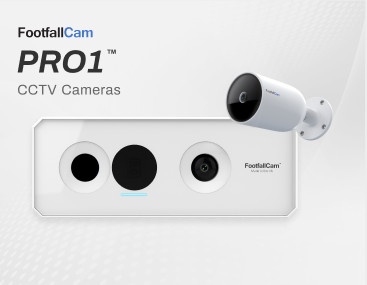
Pro1 acts as a human activity sensor that complements the 3D Pro2 by expanding its effective coverage area from 300 sq. ft. to 1,200 sq. ft., ensuring comprehensive monitoring.
How is data transmitted between Pro1 and Pro2?
Data is transmitted internally using a specialised PoE switch. Only minimal counting data (a few kilobytes) is sent to the cloud, minimising bandwidth usage.
What distinguishes Pro1 from a standard CCTV camera?
Unlike CCTV cameras, Pro1 does not stream high-volume video data. Instead, it only transmits essential counting data, thereby reducing the risk of network congestion.
Is the Pro1 and Pro2 package a cost-effective solution for large retail spaces?
Yes, by augmenting your Pro2 system with Pro1 sensors, you can achieve blanket coverage at a significantly lower cost than deploying multiple 3D sensors.
Is it possible for emails to be sent from their email domain, such as automated emails sent to customers, if they use our server but have their branding on the software instead of using @footfallcam.com?
Branding on their software is possible, they can upload their logo on the top left corner but our trademark at the bottom of the page cannot be removed
Yes, they can set SMTP setting to use their own email service even if they are using our cloud solution, but only for issue tickets, we will send a notification with our own postmaster"
How many people counters are required for a typical retail store?
Typically, a single people counter can effectively cover a standard entrance width. For instance, when mounted at a height of 3.5m, our people counter has a coverage range of up to 5.25m in entrance width.
How do I connect up the people counter?
Connecting the people counter is a straightforward process. You simply need to run a single Cat5e or Cat6 cable from the people counter to the Power over Ethernet (PoE) injector located in your back office. The PoE injector, in turn, will be connected to your router. This setup enables both power supply and data transmission through a single cable, eliminating the need for additional power sources. Our installation guide provides detailed instructions to ensure a seamless connection setup.
We need to make sure we don't break any privacy law because we are on multiple islands. Are there other solutions?
Our solution counts anonymously and does not store any personal data, so is GDPR exempt in Europe.
How many cameras are needed per store?
For entrance counting, 1 camera per entrance. For heatmapping, this will depend on the size of the store and the ceiling height.
Privacy concerns
Many of our customers have had similar concerns over customer privacy. To ensure data protection we have designed our counters to be GDPR exempt.
FootfallCam does not collect, store, or use any personal data. Our system is designed by default to use only anonymised data.
Please see below on how we anonymise the data:
1. Video - FootfallCam does not use video images (which are 2D) to count. Instead, we use the 3D depth map generated from its stereoscopic lens to count with high accuracy. The 3D depth map is comprised of grey pixels and contains information relating to the distance of the surfaces of scene objects from a viewpoint. There are only two instances where low-resolution videos are used – the live view page for checking the camera angle and videos recorded for verification. The videos used here are designed to be at a very low resolution of 320 x 240 pixels. This low resolution is exempt from the GDPR because it is not possible to recognise an individual from it.
2. Wi-Fi Tracking - FootfallCam detects the MAC address of a Wi-Fi enabled device, but it immediately hashes the original MAC address with a one-way hashing algorithm (PBKDF2WithHmacSHA256), turning it into anonymised data straight away.
3. Risk of Anonymised Data Being Identified Is Remote - The one-way hashing algorithm that FootfallCam uses is irreversible. The only way to guess the original MAC address from its anonymised counterpart is to find a match by brute force. There are 281 trillion combinations of MAC addresses to try. Even if one knows the exact hashing algorithm and SALT key used, this will take 10-20 centuries to find a match. It is therefore reasonable to say that the possibility of identification is remote.
Additionally, to this we have designed various privacy modes. Please see the link below to see a short video displaying what the counter will see depending on the selected privacy mode: https://www.youtube.com/watch?v=zkDBUx2UOkw
Is your Footfallcam network switch an optional component?
Optional, poe switch compatible.
Do you support Microsoft Edge browser to access the cloud application? On your website this is not listed.
Yes, we support Microsoft Edge browser. However, best view with Google Chrome.
What information is stored on the Footfallcam devices (either temporary or permanently)?
Counting data and Configuration settings.
Does the Footfallcam device perform facial recognition, use AI/machine learning, or store video recordings. If facial recognition is enabled, could this be turned off?
No facial recognition.
How will the support team be able to remote in for support?
The customer will need to provide remote access, so that the support team is able to remote support.
How do I setup Sales Ticker?
Setting up the Sales Ticker is simple. All you have to do is connect a single 6-core cable from the Sales Ticker to the people counter, FootfallCam 3D Pro2. This configuration allows for both power supply and data transmission from the 3D Pro2 through just one cable via RS485 connectivity, eliminating the requirement for extra power sources and additional network infrastructure.
Can the Sales Ticker be easily relocated to another location within the store?
Yes, relocating the Sales Ticker is straightforward. Simply unscrew or remove it from the current mounting surface, and then reuse the same cable to connect it at its new position.
What are the power and connectivity options available for the Sales Ticker?
We offer both wired and wireless options for the Sales Ticker. The wired option involves powering the device via a 12V connection and utilising RS485 connectivity from the FootfallCam 3D Pro2. On the other hand, the wireless option is supported by four batteries and connects to the FootfallCam 3D Pro2 via Bluetooth Low Energy (BLE) connection. While both options are available, we recommend the wired option for its ability to ensure stable data transmission.
What are the products that are compatible with Sales Ticker?
The Sales Ticker primarily functions as an extension of the FootfallCam 3D people counter, particularly the 3D Pro2 model. Additionally, the wireless version is compatible with the FootfallCam Mesh Hub, allowing for data connectivity via Bluetooth Low Energy (BLE).
What are the prerequisites to join FootfallCam's partners program as an Authorised Reseller?
Prerequisites to join FootfallCam's partners program as an Authorised Reseller include industry experience, market presence, commitment to the brand, technical proficiency, and the ability to provide comprehensive post-sales support. Completing the online training program is also required.
How do I apply to become a FootfallCam Authorised Reseller?
Applying to become a FootfallCam Authorised Reseller is easy. Simply visit our website and fill out the online application form. Once your application is submitted, our team will review it and reach out to discuss the next steps, including completing our online training program and a series of workshops.
How would I be eligible to receive leads from FootfallCam?
To receive leads from FootfallCam, become a certified reseller and express interest in available leads through the Leads Distribution Platform (LDP). Certified partners have opportunities to participate in projects of all sizes.
How does FootfallCam support its Authorised Resellers?
FootfallCam supports its Authorised Resellers through comprehensive sales and marketing assistance, technical training, access to leads distribution platforms, and ongoing support to ensure successful project execution and customer satisfaction.
How do I start my marketing efforts in my region? Or enhance my market presence?
In the new era of technology, a professional website and online presence are highly effective in establishing and enhancing your brand image, increasing market exposure, and positioning yourself, whether you are new to penetrating the local market or aiming to strengthen your reputation in meeting local demands. Contact us today, and we will get our specialists to help you with this.
What are the prerequisites to join FootfallCam's partners program as an Alliance Partner?
To join FootfallCam's Alliance Reseller Program, prerequisites industry experience in retail technology, a proven sales track record, commitment to collaborative efforts, proficiency in product knowledge, and technical capability to provide support. These ensure effective promotion and distribution of FootfallCam's solutions in the market.
How do I apply to become a FootfallCam Alliance Partner?
To apply for FootfallCam's Alliance Partnership, visit our website and navigate to the "Partners" section. Complete the online application form, providing details about your business, experience, and reasons for partnership. Our team will review your application and contact you to discuss potential collaboration opportunities further.
What are the partnership options available for FootfallCam Alliance Partner?
As a FootfallCam Alliance Partner, you have the option to participate in Partner Connect, which offers a variety of benefits. If your company develops compatible hardware or products, provides services including FootfallCam devices, and sells FootfallCam products, you can join as an Alliance partner.
How does FootfallCam support its Alliance Partners?
FootfallCam supports its Alliance Partners through training, marketing assistance, technical support, sales enablement, and collaboration opportunities. Partners receive comprehensive product training and access to marketing materials for effective promotion. Dedicated technical support ensures smooth implementation and customer satisfaction. Sales tools and resources enhance partners' sales effectiveness, while collaboration with FootfallCam facilitates growth and exploration of new business opportunities.
Are there any tiered benefits available within your Alliance Partner Program?
Yes, please drop us an email at [email protected] or send us your enquiry via Contact Us form to find out more.
I like your “Legacy Care” plan, but I prefer to stick to my existing field service engineers. What should I do?
If you prefer to stick with your existing field service engineers while still benefiting from our Legacy Care plan, simply inform us. We can work with your preferred engineers to ensure seamless support and maintenance for your system.
Will I be able to view both legacy system data and the data from FootfallCam devices within the same report or dashboard?
Yes, you will have the ability to view both legacy system data and data from FootfallCam devices within the same report or dashboard. This ensures comprehensive analytics and facilitates combined view between old and new data sets for better insights.
How does the integration of existing legacy devices works?
We provide a one-time complimentary integration of your existing devices with FootfallCam software for all current locations. For new locations requiring devices, you may install new ones from FootfallCam.
How does the Legacy Care credit system work?
Each subscription of the Legacy Care Plan grants users credits, which can be utilized to swap out existing devices with new FootfallCam devices at a discounted cost when needed. Each credit has a validity of 3 years and cannot be exchanged for cash or withdrawn.
What people counting systems can be integrated into the FootfallCam V9 software platform?
The FootfallCam V9 software platform supports integration with various people counting systems, including Brickstream, Irisys, Xovis, V-Count, and others. Contact us and our specialist would be able to advise you further.
How will the equipment be kept secure?
The FootfallCam 3D Pro 2 will be installed on the ceiling where no one will be able to touch in without any obvious behaviour of vandalism.
Can this be customised for ESHT? If not, what is the current password policy?
Cannot customize. Current password policy Password must be at least 8 characters, should contain at least one uppercase letter, at least one lowercase letter, at least one number, and at least one of the following symbols: @$!%*?&#.
What are the prerequisites to join FootfallCam's partners program as a Distributor?
To join FootfallCam's Distributor Partner Program, applicants need industry expertise, a strong local network, inventory capability, dedicated sales and technical teams, experience with system integrators, and commitment to market growth.
How do I apply to become a FootfallCam Distributor?
To apply for FootfallCam's Distributorship, visit our website and navigate to the "Partners" section. Complete the online application form, providing details about your business, experience, and reasons for partnership. Our team will review your application and contact you to discuss potential collaboration opportunities further.
What are the partnership options available for FootfallCam Distributor?
FootfallCam offers partnership options including exclusive distribution rights, stock loan support, lead sharing, collaboration with local integrators, and value-added service opportunities like helpdesk and repair services for distributors.
How does FootfallCam support its Distributors?
FootfallCam supports distributors through stock loan options, exclusive lead sharing, comprehensive software and service backup, sales and technical training, and value-added service opportunities, enhancing revenue potential and customer experience.
Can the system track unique visitors at large events?
Tracking unique visitors is not feasible for large crowds as it does not support re-identification or BLE tracking.
Do you offer the FaceCam Demographics sensor for exhibitions?
No, we do not provide FaceCam for exhibitions due to privacy concerns and event-specific requirements.
Does the system provide live occupancy tracking?
No, live occupancy tracking is not available, as data undergoes an additional post-event analysis using scientifically proven methods.
What are the prerequisites to join FootfallCam's partners program as a System Integrator?
To join FootfallCam's Distributor Partner Program, applicants need to meet the outlined requirements, including integration expertise and commitment to FootfallCam’s processes.
How do I apply to become a FootfallCam System Integrator?
To apply for FootfallCam's Partner Program, visit our website and navigate to the "Partners" section. Complete the online application form, providing details about your business, experience, and reasons for partnership. Our team will review your application and contact you to discuss potential collaboration opportunities further.
What support will I receive as a partner?
Partners gain access to the Partner Portal, knowledge base, partner trainings, technical support, customisation services, and project guidance.
Can FootfallCam solutions be tailored for unique client needs?
Yes, we offer customisation in floorplan design, APIs, tools to customise data visualisation such as dashboard and reports, and enterprise-level functionality.
How does FootfallCam ensure successful project delivery?
Through collaborative planning, customisation options, open architecture that allows hardware and software integration together with multiple integration methods available to support each project need, which includes API, FTP, Device API and so on.
How do we know if our current system is considered “legacy”?
A system is typically considered legacy when it has been in place for five or more years, has limited upgrade paths, or relies on ageing hardware with increasing maintenance or support constraints.
Is this programme suitable for small pilots or only full estates?
The programme supports both. Many organisations start with a single site or region to validate performance before deciding on wider replacement.
Will our existing reports and KPIs need to change?
No. Existing reporting structures can be maintained. Where improvements are made, they are incremental and optional, not forced.
Does replacement require changes to our network or IT infrastructure?
In most cases, no. Replacement uses existing cabling and does not require network redesign. Any additional requirements are identified during the suitability review.
How is security and data protection handled?
The replacement platform provides improved data handling, role-based access control, and alignment with modern data protection requirements. This often reduces internal exceptions compared to older systems.
What happens if our contract renewal is still some time away?
Early evaluation is still possible. Many organisations use the programme to gather information in advance so they are prepared when renewal discussions begin.
Can we involve our existing integrator or partner?
Yes. The programme is partner-supported and can be delivered through existing integrators where appropriate.
How long does the validation and replacement process typically take?
Validation is usually completed within a defined, short time window. Physical replacement is fast and scheduled to minimise operational impact.
Are there any scenarios where replacement is not recommended?
Yes. In some cases, existing systems may still be well-aligned with current needs and costs. The programme is designed to surface this early rather than force a replacement.
What is the first step if we want to explore this programme?
The first step is a brief discussion to understand renewal timing, current system scope, and suitability. This determines whether a validation or further assessment is appropriate.
Who is the Legacy System Replacement Programme designed for?
The programme is intended for organisations approaching contract renewal on an existing people-counting system, typically installed five or more years ago. It is most relevant where renewal triggers a requirement for due diligence or value reassessment.
Do we have to commit to replacing our system to participate?
No. Participation does not require a commitment to proceed. The programme exists to support evaluation and validation so that any decision—whether to renew or replace—is informed.
Will replacing the system disrupt store operations?
No. Replacement is designed to be non-disruptive. Existing cabling and mounting positions are reused, and devices are swapped during normal maintenance windows with no impact on store trading.
How is data continuity handled during replacement?
Data quality is validated before acceptance. Parallel comparison with the existing system is used to confirm performance, ensuring there is no loss of reporting continuity.
What happens if the new system does not meet our expectations?
Replacement only proceeds once performance meets or exceeds the existing system. If validation criteria are not satisfied, no further action is required.
Is a trial or validation unit available?
Yes. For eligible swap-out cases, a validation unit may be provided to confirm performance in a live environment. This is limited in scope and provided with no obligation to proceed.
Will this increase our long-term costs?
In most cases, the programme is designed to reduce or stabilise long-term costs by resetting the hardware baseline and avoiding continued expenditure on ageing infrastructure. Commercial outcomes are discussed after validation.
Do we need to adopt advanced analytics immediately?
No. Organisations can continue using basic in-out and footfall metrics. The value of replacement is establishing a modern, secure platform that allows further capability to be adopted when and if required.
How does this programme compare to simply renewing our existing contract?
Renewal maintains the current baseline. The programme introduces an option to reassess whether a modern platform would provide better value, capability, or cost efficiency over the next lifecycle.
What internal stakeholders typically need to be involved?
Participation usually involves operations, IT, and procurement. The programme includes documentation designed for internal circulation and review to support decision-making.
Can Pro1 run the analytics on its own?
Pro1 supplies the camera view. Plan it with compatible Pro3 or Centroid processing and the required software capabilities.
How many Pro1 cameras can be connected in a chain?
The permitted group size is defined for the selected hardware, cable lengths, network loading and power arrangement. The installation design should confirm the approved configuration for your site.
Installation
After the counter has been relocated to a new stores, what to do next?
After relocation of the people counter, users are required to delete the counter from the previous old store and register the devices under new store. Reverification is required and it is a chargeable service, please raise a service request quote by email to [email protected].
You may refer to the user guide if you wish to:
- Remove the existing device: Chapter 2.2.1.3 How to Remove Existing Device
- Reallocate the device: Chapter 2.2.1.4 How to Reallocate Device
Why and How to Create a Service Request for the Installation Support
Submitting a Service Request for Installation
Support connects you with technical experts who ensure a smooth and
error-free setup. To guarantee timely assistance, request remote support at
least 48 hours in advance, allowing proper scheduling and resource
allocation.
For step-by-step guidance, refer to:
Click here to access Step-by-step on how to request Installation Support Guide
Link to the page to create service request
How do I install the Sales Ticker? What is the ideal location to mount it?
The Sales Ticker is lightweight and can be mounted on any surface on the wall, whether it's in the shop floor area or the back office area, provided it can easily be seen by the store staff. It can be attached using either the screwing method or the 'peel-and-stick' method.
I am ready to install the device and how can I get the support for the installation?
Please contact the FootfallCam Support Team to pre-book an installation support date. Please note that installation support must be pre-booked with us at least 48 hours in advance. The FootfallCam Support Team will standby to provide full installation support. If there is any urgent support, such as onsite installation assistance, please connect with FootfallCam Support Team through the FootfallCam Support Chat app.
How to set up and log into FootfallCam Support Chat App?
Please contact us at [email protected] and we will assist you in setting up an account.
How can we install the people counter if the installation site only has power supply available and no network or internet connection?

You can source a wireless router or broadband with a sim card slot that can insert a 4G mobile sim card to provide network and an internet connection to the counter.
Please refer to the connectivity diagram below to have a better understanding.
If there is water leakage in my ceiling, would it damage FootfallCam 3D Pro2?
The case of FootfallCam 3D Pro2 is designed to be splash-proof and has an IP rating of IP64. Therefore, if there is water leakage from the ceiling, the case would prevent water from seeping through.
Who is responsible to obtain the required work permits if FootfallCam is conducting the installation?
The store manager is responsible for obtaining the work permit. We need to determine if a permit is required before scheduling the installation or site visit. Usually, work permits are necessary for installation in shopping malls.
If I want to update the opening hours for my store during the holiday season, can I do it myself or do I need to contact the FootfallCam service desk?
Yes, you can update it yourself, the store manager has access to their own site on the portal, where they can update the opening and closing hours, as well as set custom operating hours during holidays, on the site settings page.
If you have any further questions or need assistance, feel free to raise a support ticket on the FootfallCam Support Portal. Please refer to the guideline here to know more about How to Raise a Support Ticket.
What is the height and distance requirement for empty shelf detection?
Empty shelf detection provides regular checking on shelf emptiness based on advanced image processing algorithm and capable hardware. It is crucial that the device is installed such that the shelf is completely visible in device's live view. Please refer Empty Shelf Detection Installation Guide for more information.
How to connect up FootfallCam 3D Pro2?

FootfallCam 3D Pro2 is powered-over-ethernet and needs to be connected by a Cat5/Cat6e cable from the entrance to the PoE injector which should be located at the back office. Then using another power cable to connect from the PoE injector to the router power and data connectivity.
Please refer to the device connection schematic diagram below for a better understanding.
How to link the FootfallCam people counter to FootfallCam Analytics Manager V9?
To connect the FootfallCam people counter to FootfallCam Analytics Manager V9, there are two options, please refer to the below,
- Allocate the device to the FootfallCam Analytics Manager V9 with a pairing code during installation
- Manually pair the device from the portal, FootfallCam Analytics Manager V9.
For step-by-step instructions, please refer to Chapter 4: Setting up Devices, Section 4.1 of the guidelines, which can be accessed via the link here.
What is the maximum RJ45 cable length between the midspan to the router?
The limit on the length of the RJ45 cable between the midspan to the router is 100m. Alternatively, you may set up a network point in between, such as a PoE extender, if you wish to increase the reach of the cable.
How long will the accuracy configuration takes once the hardware is installed in the store?
FootfallCam tuning specialist will fine-tune the counter and start collecting data within 3 working days after the counter is installed. Within the next 3-7 days, our specialist will collect the sample size to generate the verification report as an accuracy certification for each counter.
Where should the staff exclusion wall-mounted button be installed?
The person has to be inside the counter tracking zone when the button is pressed to be excluded, so usually the button will be installed inside the entrance.
Can the PoE midspan be connected to the switching hub instead of the router?
Yes, it can be connected to a switching hub instead of a router.
Does the counter accept PoE instead of PoE+?
Yes, our counters can work with both PoE and PoE+.
What is the impact if wrong degree camera lens (65°, 100°, 140°) installed?
Each degree is catered to varying ceiling heights. Using the wrong degree lens will affect the counting accuracy of the counters since it is not installed at its optimal height.
Click here for accessing to FootfallCam Calculator to determine the number of counter(s).
What is needed to deploy people counters in a shopping mall?
To deploy people counters in a shopping mall, you would need a Cat5e cable to connect the counter to the IT router which is usually located at the back office. If the cabling from the counter to the midspan take more than 100m, you would need to source a PoE Extender to extend the range of the signal. For more information on the preparation of the installation, you may refer to the Quick Installation Guide.
Does the counter have to be mounted directly overhead?
Our counters have to be mounted directly overhead of its coverage area in order for it to collect visitor in/out data, with an accuracy of 95% and above.
Where are the PoE points in a typical building?
Depending on the building, generally the PoE points are installed at the back of the server room. If the building has an existing cabling, then it can be used to connect to the counter; otherwise, cable installation will be required.
Have FootfallCam had any experience installing the counters in large buildings or areas where the sensors are in different levels of a building or far away from each other?
Yes, we have helped our clients in the corporate building and shopping mall such as Marina Mall and One Utama where the counters are allocated at different floors.
Do I have to install the counter at each entrance from parking place?
Usually you will only need to install at Ground Floor entrances. Assuming shoppers will take escalators or lifts at the car park entrances to Ground Floor, they will eventually end up in Ground Floor. Installing at the GF entrances will be sufficient.
What should we prepare before installing the counting system?
A floor plan of the shopping mall would be great, we can use that to identify the camera locations and zones. Prior to the installation, you may need to prepare static IPs for the cameras. Other than that, we can configure from our end.
Click here to view the FootfallCam Installation Handbook.
Can the counter address the issue of door swing interference?
Yes, the counter can be installed at the entrance with swinging doors. Our customers in the UK such as The Perfume Shop and Bonmarche are some of our good case studies. You may check out the sample video for more insights on how the configuration is being done.
Do I need a static IP address to configure the counter?
DHCP will be set as default for the counter. Once the counter is connected to the network, an IP address will be assigned automatically for the counter. Users have the option to set a fixed IP address for the counter at their own discretion.
What is the correct sequence of the Cat5 cable colour code need to be crimped?
The sequence is as follow: White-orange, orange, white-green, blue, white-blue, green, white-brown, brown.
Is the system available globally? Do I need specialised engineers to install and integrate the system?
Please consult with a FootfallCam specialist to see whether there is a local installer in the region. FootfallCam will readily provide remote support for users that would like to install the counter using their own in house electricians.
Are any outdoor counters available for installation?
Yes, we have a solution that is suitable for outdoor areas.
We are able to count the number of visitors in an outdoor environment by using our AI video analytics system. This system reuses your existing CCTV cameras and connects to FootfallCam Centroid at your back office. Kindly refer to this link for more detailed information about FootfallCam Centroid.
What is the minimum light condition for counter?
The light condition in a typical retail shop and shopping mall have been taken into consideration during the design stage, thus it is good for the camera counting. However, the counter may not function optimally at an entertainment place such as disco and club due to the rapid change of light condition.
What technical support is being provided?
Before the site deliverance, each camera will be configured with the relevant IT details (e.g. IP address, port, etc.) provided by the user. Once the camera arrived on site, full phone support is provided to the installer during the installation to ensure the camera is working properly and connected to the Internet. Then, the verification study will be initiated to fine-tune the accuracy of the camera counting. Full technical support is available via phone or remote connect support to diagnose and solve if there is any technical issue.
What is the power supply required for the counter?
Counter is powered using Power over Ethernet. The main power required will be less than 10w.
How many power socket is needed for a set of people counter?
Each set of people counter requires 1x power socket.
What type of plugs do FootfallCam provide for people counter?
FootfallCam provides 4 types of power cable to the international customer:
- A. Type G
- B. Type B
- C. Type F
- D. Type I
Will the FootfallCam device be linked to my corporate network and does it involve bypassing firewall?
Yes, we are using the cat5e cable to connect to your router, so the data can send to server via the store network. As long as the port 80 outbound and inbound is open, then it will be able to access.
What resources do I require during the installation of FootfallCam?
If the installation will be performed by your own installer, we will remote support them via instant messaging throughout the installation process to advise on the proper camera positioning and counter set up. However, if the installation process is carried out by our in-house installer, you just need to have the FootfallCam ready. Our installer will bring any other required tools. In some cases, we would have some miscellaneous requirements such as ladders and the FootfallCam support team will inform you should there is such need.
What is the time frame required for installation?
We would require 2 weeks in advance to arrange the installation. For the same location, 3-4 counters can be installed per day.
Will the installation of FootfallCam require any form of electrical or technical expertise?
The installation is easy and straightforward, requires 1x Cat5e cable only to connect from the counter at the entrance to the back office. Therefore, any local handyman or IT person is sufficient to perform the installation.
Can the counter easily relocated after installed?
Yes, the counter can be easily relocated. You will need a Cat5e cable to connect the counter to the IT router. However, the accuracy of the counter would need to fine-tune again after relocated to ensure it could achieve 95% accuracy as different settings would need to apply for different environments.
Where should I install the counter?
Our people counting counter would be installed in the middle of the doorway, facing perpendicularly down to count people coming in or going out when they are passing by the counter. The counter should be installed as close to the door as possible so that the counter does not pick up the activity inside the store which could affect the counting (usually is 1m from the door). Please find more information on our installation guide.
Can the device be chained on the same Ethernet cable to reduce the number of PoE ports and to be able to install in wide entrances?
FootfallCam counters may be chained through cascade topology to reduce the number of PoE ports required.
If 2 counters are installed side by side in the same entrance, would it count the same person twice?
An individual will not be counted twice even if the counter coverage overlaps an area, this is due to FootfallCam verification specialist having the expertise to exclude overlapping area from each counter.
What is the height requirement for FootfallCam?
| Ceiling Height | Device |
| 2.2m - 2.5m | 140o lens |
| 2.5m - 4.5m | 100o lens / 160o lens (FootfallCam 3D Max) |
| 4.5m - 7.0m | 65o lens |
Click here for accessing to FootfallCam Calculator to determine the number of counter(s).
What is the project plan (i.e timeline for installation, integration and go-live)?
Depending on the number of counters required in the project, the timeline varies in case-to-case basis. Generally, the tuning of the counter will be done within 3 working days while the verification will be completed within 7 working days for your review and approval. The data is ready to be used once it is being certified.
Why Footfallcam need to follow TIA/ EIA 568B colour code for crimping the cat5 cable?
It prevents crosstalk interference and unreliable network connection.
Click here to view the FootfallCam Installation Handbook.
How long does one store take to install?
No, Pro1 is designed as an extension sensor and requires the Pro3 or Centroid unit to serve as the central management component.
Can we use our existing CCTV system?
Yes, FootfallCam Centroid works with any IP CCTV cameras. Alternatively, you can deploy Pro1 Dome or Pro1 Fisheye devices.
What is required from our IT team?
Data is transmitted internally using a specialised PoE switch. Only minimal counting data (a few kilobytes) is sent to the cloud, minimising bandwidth usage.
How are updates and maintenance handled?
Unlike CCTV cameras, Pro1 does not stream high-volume video data. Instead, it only transmits essential counting data, thereby reducing the risk of network congestion.
Can this scale across regions with different store formats?
Yes, by reusing your IP CCTV cameras or using a hybrid system with Pro1 sensors, you can achieve blanket coverage at a significantly lower cost than deploying multiple 3D sensors.
Technical
What would be your API Infrastructure for integration purposes?

You may refer to the image for the relationship between different layers of integration. We can write the API script in a format that is compatible with your software, either pushing or pulling.
Does iOS 8 MAC randomization impact the Wi-Fi counting accuracy?
No. Due to the fact that it only randomizes the MAC address when it is not connected to a mobile network, it would not impact on the Wi-Fi counting (visit duration and returning customers).
https://www.zebra.com/us/en/solutions/intelligent-edge-solutions/rtls.html
Impact on Wi-Fi Location Tracking
Firstly, when a device is not connected to the network, it doesn’t transmit frames at regular interval. Depending on the manufacturer and operating system of the device, this interval could be even up to 5 minutes. So, when the visitor carrying any Wi-Fi device moves around in the venue without connecting to the network, the estimated location of this device becomes stale very quickly. As a result, location tracking for unconnected device doesn’t have much business value.
Is it possible to exclude the same visitor that enter and leaves the store in short intervals?
It is not possible to exclude the same visitor when they leave and enter the store in short intervals. However, as the percentage of these consumers will be minimal, it will not have a significant impact on the counting data.
Does the device require a static IP?
It can be set as DHCP (Default) or Static IP.
What is the required name for importing data via FTP?
The naming sequence may be set as anything according to the user's preference. There is no restrictions on the name.
Does the importation of data via FTP need to contain existing data accumulated from the past or to contain only the newest sets of data?
The data file only needs to have the newest set of data. Once the data has been uploaded to our server, the data will remain there even if the original file data has been deleted. A new file everyday instead of continuously building onto one file.
What is the time when the uploaded data is downloaded in the Analytic Manager via FTP import?
The file is downloaded every hour at the beginning of the hour. For example, if the file is uploaded at 3:50, the file will be downloaded at 4:00. If the file is uploaded at 4:01, the file will be downloaded at 5:00.
Does FootfallCam count customers walking in multiple directions?
Our people counting system using a series of video process algorithm to count human traffic in bi-directional.
Do I need a PC to view your software?
Our FootfallCam Analytic Manager V8 is a web-based software which is accessible by any browser with Internet connection with a given URL. It is a web application which enable user to view people counting report, manage user account and manage location and equipment settings.
How much bandwidth does the FootfallCam People Counter require?
We only produce count based on the image processing so only counting data will be recorded and uploaded to the server. Therefore, the bandwidth usage is minimal, please refer to page 5, "MINIMUM BANDWIDTH USAGE" of the link here for more information about the minimum bandwidth requirement.
Is the system able to support wide geographical area across different countries? Is there any network restriction or implications associated with provision of multiple deployment linked to the central reporting server?
FootfallCam provides remote support on a global scale. The central database and reporting software is available for access remotely from anywhere in the world as long as an internet connection is available.
What types of data are available and in what format can the data be extracted and integrated into the business system?
The counting data is available in hourly and daily and can be exported in XML and CSV formats to integrate with your business system.
Will the data of an existing store be affected if a counter is removed from it and relocated to another store?
The data of the store will not be affected if a counter is removed from the store. The data are stored on a database level linking both the branch name and code instead of linking it based on the individual counter. However, the counter will need to be deleted from the existing branch level in the database and allocated to a new one to prevent new incoming data from being aggregated to the removed store.
How can data be sent to FootfallCam central server if the software is hosted on a corporate server?
We would need to do the port forwarding for port 80 (to push data to the central server) and port 22 (for our technical team to remote connect to the counter for software updates). Please provide the external IP address and port to us. Also, you would need to allow firewall access for port 22 and port 80 for this counter. This can be done by adding an entry to the access control list.
Since WiFi signal is emitted every 4-8 seconds, what happens when a customer passes by? How does the WiFi counting works?
WiFi coverage range is up to 100 metres in radius (in an open spaces), so it is unlikely that a customer would pass the window in 5 - 15 seconds. In addition, The counter collects large sample size and the WiFi counter data is normalised using the video counting data.
How can the integration within the same server could be done?
There is 2 options in doing this:
Option 1 – From your POS software, usually it will have the automatic export function, so the POS software can regularly dump the data to a folder. Then, we will set up our software to grab the data from that folder.
Option 2 – From our software, routinely request to your POS software to grab the data.
How long does it take for the server installation?
It usually takes 2 hours to complete the server installation. You would need to install and provide TeamViewer access to our technical to work on the installation.
Can I use the network cable for power supply of the counter only, and the data to run on WiFi without the network cable?
The data couldn't run on WiFi only. It requires the network cable to transfer the data from the counter to the server.
How many days of the data can be stored in the counter when the Internet connection fails and to upload to the server when the Internet conenction is back to normal?
When the Internet connection fails, 3 days of the Wi-Fi counting data in the counter and the visitor data by hourly will be stored in the counter until the storage is fulled or pending to upload to the server.
If I opt for your cloud server, what type is it and where does your server and Disaster Recovery site located?
Server type: Dedicated Server
Location of hosting server: France
DR site location of hosting server: the UK
Other details: https://www.footfallcam.com/Content/data/documents/Download-Page/Guide/IT-Infrastructure-Guide.pdf
Is it possible to connect multiple people counters per gate? What about multiple gates per building? Any max number of devices or gate to support
There is no maximum threshold on the number of devices to support. Yes, it is possible to have multiple people counter per gate or multiple gate per building.
Can our software and system integrate with LoRA type products?
Yes, we will propose to use our FootfallCam Mesh Hub which can be connected to LoRA type IoT devices.
"What type of communication protocol does the FootfallCam 3D Mini use to connect with FootfallCam 3D Max2? "
FootfallCam 3D Mini uses radio frequency to connect with FootfallCam 3D Max2 — either 868Mhz or 915Mhz radio frequency. Depending on the legal radio frequency band, the pre-set radio frequency will vary between different countries.
In terms of the radio protocol, we are using a protocol based on the IEEE 802.15.4 MAC and PHY specification.
Where will the data be stored and for how long?
Data will be collected and stored in two levels, either on the counter or server level for a specific period of time before it is deleted. Please refer to the table below for more information.
Can 1 Mini Computer be connected to multiple screens?
Yes. 1 Mini Computer can be connected to 2 screens at once as there are 2 micro HDMI ports available.
Will LabelNest E-Displays operate at low temperatures (below 10 degrees)?
We're developing LabelNest E-Display TagFreezer, which will be able to operate between 0-50 degree temperature. It is currently not available, do stay tuned for further updates on our product.
Can we use magnets to fix the tags to workstations without interrupting the usage of the tag?
For now, we are unable to use magnets to fix E-Displays to workstation as further testing will be required.
Are LabelNest tags suitable for outdoor uses without waterproof casing?
LabelNest tags are not recommend for outdoors use cases as they are designed for indoor uses such as retail stores and smart offices.
Could the new iOS MAC address randomization lead to false positives when identifying individuals who pass through a location multiple times, such as someone passing through at 9 am and then again at 4 pm, potentially leading to them being mistakenly identified as different individuals due to MAC randomization
FootfallCam device is using dual counting methods, which are 'Image Processing on Video Analytics' and 'Wi-Fi Analytics'.
Our Image Processing method is highly accurate, as it detects individuals passing through the entrance or exit and counts them as 1. Therefore, for example, if someone passes through the entrance at 10 am and leaves and visit again at 4 pm, they will be counted as two footfall.
However, for Mac randomisation which is using Wi-Fi Analytics counting, it will not be included in the count as we have an algorithm to detect and remove it from the counting.
What should I do if I encounter any technical issues and how do I raise a support ticket on the FootfallCam Support Portal?
If you encounter any technical issues, please raise a support request on the FootfallCam Support Portal. You can refer to the guidelines provided here for detailed instructions.
Is FootfallCam API able to support any platform, such as C#/ASP.NET and React, or is it specific to a particular programming language platform?
Yes, our REST API is using CubeJS standard which supports C# / ASP.NET and React platform and users can easily integrate our API into their applications.
How do we provide data benchmarking for UK? Is it provided for all UK footfall, or specifically retailers/supermarkets/by category?
We can provide data benchmarking by comparing your premises' performance with data from a 3rd party provider such as IPSOS. Alternatively, we can also compare this using our existing FootfallCam database, subject to availability. We allow them to source data from 3rd party data and we can do the benchmarking.
Is it possible to obtain real-time counting via the local websocket for the FootfallCam 3D Mini, enabling the In/Out count to be obtained by event and connected through a local IOT edge device to our BMS system?
Currently, 3D Mini data is transmitted to the server in real-time with the help of our FootfallCam 3D Max2 as the gateway. Its currently not possible to use another device as a gateway for our 3D Mini to transmit data to the server.
Can the solution integrate third-party software such as point-of-sale systems, online retail platforms, and more?
Yes, our software is API ready and can integrate with POS and BI systems
What is the encryption used between the device and cloud software?
The encryption
methods used for the device and the cloud software are HTTPS (HTTP with SSL
Encryption) and WSS (WebSocket connection with SSL). WSS is more for Space Occupancy (Secondary Server).
How is the process for Footfallcam Devices to receive firmware updates, including the method through which the firmware is delivered to the devices (e.g., TFTP, FTP, etc.)?
Direct download the firmware from the server when receiving the update command from the server.
Comparing AI analytics technology with 3D people counting
Considering the main technology in the world is using 3D depth sensing and image processing for accurate counting, it could achieve relatively good results in all the challenging environments. Compared with AI analytics which have the limitation of just a 2D imaging processing and often couldn’t work well in the overlapping angle and are restricted by some of the environmental and behavioral challenges. The accuracy in 3D can work well with 95-98% accuracy.